
Select the high, low and direction.
Indicators / Time and astronomy
ATAS / ASTRO VIBRATION
Astro Vibration
From highs and lows to vibration levels.
Select a high and low and count candles through a close-confirmed breakout to draw solar and vibration levels using the indicator calculation.
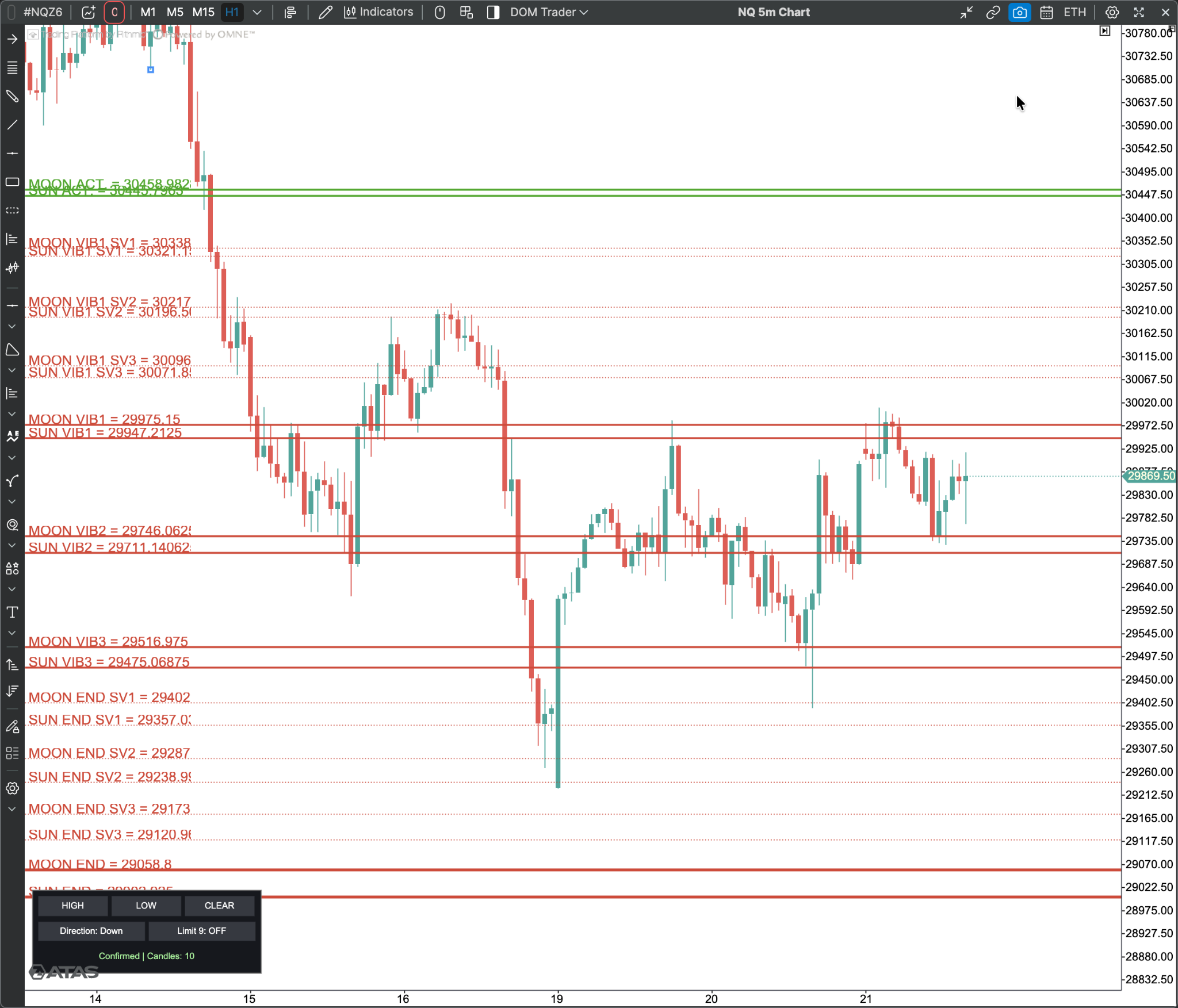
Actual chart screenshot
01 / FEATURES
What does this indicator offer?
- 01Select the high and low directly on the chart.
- 02Choose an upward or downward calculation.
- 03Count includes the starting and breakout candles.
- 04Enable or disable the nine-candle limit.
- 05Solar and vibration levels with a control panel.
02 / INSIDE THE CHART
A closer look at the chart.
Video walkthrough
VIDEO GUIDE
Video guide in preparation.
A chart walkthrough of the indicator will appear here.
03 / HOW TO USE
Start with these steps.
Enable or disable the nine-candle limit.
Wait for a close-confirmed breakout to draw levels.
Breakout closes and candle counts depend on the chart timeframe and data. Different data can produce different results.
SUBSCRIPTION / ACTIVATION
From subscription to activation.
Your account
Register with your email and password, verify your email, then access your dashboard.
Payment
Choose a plan and USDT network, transfer to the address in your order, then submit the transaction hash for manual review.
ATAS license
After payment confirmation, submit your ATAS username. We activate the indicator, then your subscription term starts on confirmed activation.
Does the price cover every indicator?
Each plan covers the selected indicator only. ATAS and market data subscriptions are separate.
Does the subscription start when I transfer funds?
It starts when activation is confirmed. Your dashboard shows the start and expiry dates.
Does my subscription renew automatically?
Renewal is manual with a new payment. The website never automatically debits your wallet.
Should I send my ATAS password?
We only need your username. Do not send your password.
04 / ASTRO VIBRATION MEMBERSHIP
Plans for Astro Vibration
This subscription covers this indicator only. The term starts after activation is confirmed.
Astro Vibration
One month
100USD / كامل المدة
- Indicator Astro Vibration
- Activation on your ATAS account
- Duration: One month
Astro Vibration
3 months
250USD / كامل المدة
- Indicator Astro Vibration
- Activation on your ATAS account
- Duration: 3 months
Astro Vibration
6 months
450USD / كامل المدة
- Indicator Astro Vibration
- Activation on your ATAS account
- Duration: 6 months
Astro Vibration
One year
800USD / كامل المدة
- Indicator Astro Vibration
- Activation on your ATAS account
- Duration: One year